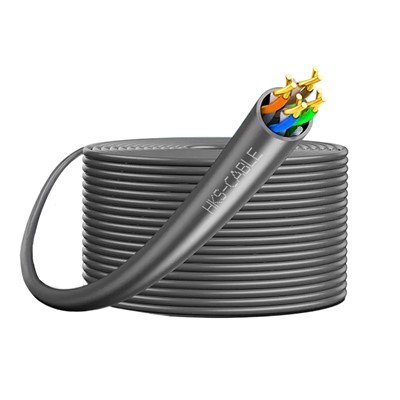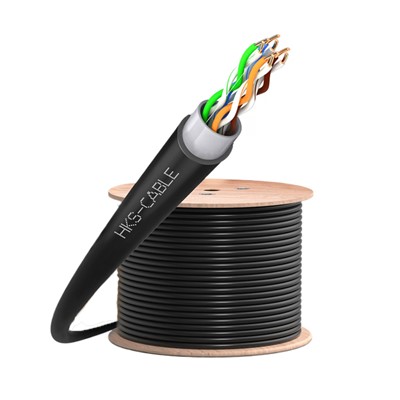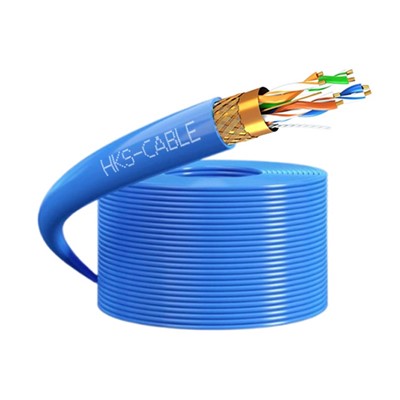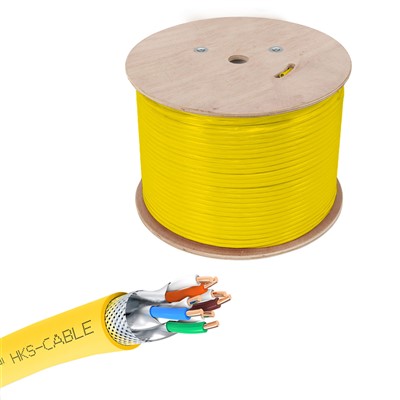
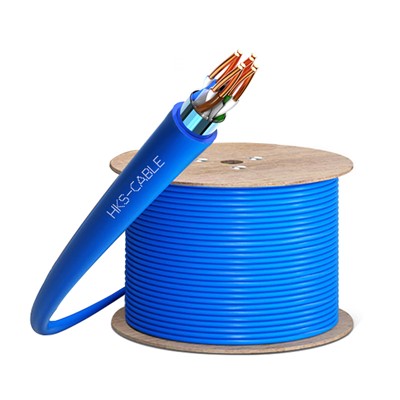
Cat6 Single Shielded Engineering Network Cable
Cat6 Single Shielded Engineering Network Cable
The advanced cross-bracket design effectively segregates wire pairs and ensures their stable positioning, minimizing near-end crosstalk (NEXT) and preserving impedance integrity.
Optimized twisting patterns and balanced construction across different pairs further mitigate NEXT, ensuring signal clarity.
Engineered to deliver exceptional bandwidth and signal-to-noise ratio (SNR) margins, this cable meets the stringent demands of mission-critical applications.
Available in a range of flame-retardant and low-smoke zero-halogen (LSZH) options, the cable meets diverse safety and environmental requirements.
Products Features
Advanced cross-bracket design segregates wire pairs and ensures stable positioning, minimizing crosstalk and preserving impedance integrity.
Optimized twisting patterns and balanced construction across different pairs further reduce crosstalk, ensuring pristine signal clarity.
Engineered to deliver exceptional bandwidth and signal-to-noise ratio (SNR) margins, this cable meets the rigorous demands of mission-critical applications.
Available in a range of flame-retardant and low-smoke zero-halogen (LSZH) options to meet diverse safety and environmental requirements.
A precision wire gauge of 0.573mm optimizes signal transmission and minimizes cable waste during installation.
Specifications
| Parameter | Value |
FTP |
||
|---|---|---|---|---|
| Cable Type | Cat 6 |
1000ft (305m) |
||
| Shielding Type | FTP |
10/100/1000Base-T |
||
| Cable Jacket | PVC CMR |
Pure Bare Copper Wire |
||
| Cable Length | 305 meters (1000 feet) |
7.4±0.40 |
||
| Reference Bandwidth | 550MHz |
31.2 |
||
| Data Rate Support | 10/100/1000Base-T |
-10 to 50°C (-14 to 122°F) |
||
| Wire Gauge | 23AWG | |||
| Conductor Type | Pure Bare Copper Wire | |||
| Conductor Diameter | 0.58 ± 0.005 millimeters | |||
| Cable Outer Diameter | 7.4±0.40 millimeters | |||
| Maximum Installation Tension | 110 Newtons | |||
| Bend Radius | 31.2 millimeters | |||
| Operating Temperature | -20°C to 75°C (-4°F to 167°F) | |||
| Installation Temperature | -10°C to 50°C (-14°F to 122°F) |
Caring Service Worry-Free Shopping:
The Cat6 Single Shielded Engineering Network Cable delivers dependable performance for your network needs. We prioritize a hassle-free purchasing journey, and our dedicated support team is readily available to assist with any questions or technical difficulties. We remain committed to exceeding your expectations with each Cat6 cable purchase, ensuring a smooth and efficient experience from start to finish.
FAQ
Q: What is a Cat6 Single Shielded Engineering Network Cable?
A: A Cat6 Single Shielded Engineering Network Cable is a type of cable designed to support high-speed data transmission in engineering applications. It features a single shielding layer to protect against electromagnetic interference (EMI).
Q: What are the benefits of using a Cat6 Single Shielded Engineering Network Cable?
A: Benefits include:
High-speed data transmission: Supports up to 1 Gigabit per second (Gbps) data transfer speeds.
Reliability: Built to withstand harsh conditions.
Security: Single shielding provides EMI protection.
Compatibility: Works with a wide range of devices.
Q: Where are Cat6 Single Shielded Engineering Network Cables used?
A: They are commonly used in:
Data centers: To connect servers and other network devices.
Industrial settings: To connect machines and devices in factories and other industrial environments.
Office buildings: To connect computers and other devices in offices.
Homes: To connect computers, game consoles, and other devices to home networks.
Q: How do I install a Cat6 Single Shielded Engineering Network Cable?
A: To install the cable:
Cut the cable to the desired length.
Strip the insulation off the end of the cable.
Insert the stripped wires into the cable crimper.
Crimp the connector onto the cable.
Connect the cable to the patch panel or wall jack.
Q: How do I troubleshoot a Cat6 Single Shielded Engineering Network Cable?
A: If you experience problems, try:
Checking the cable connections for security.
Using a different cable.
Using a different port on your network device.
Contact your network administrator for assistance.